
You tap one button.
Record is the only thing you do. No typing tasks, no adding doctors, no writing down doses. The app does the writing.
The doctor-visit app for families
Open PresentCare, tap Record, put the phone away. When the visit ends, the summary is written, the doctors are added, every medication change is listed, the follow-ups are on the calendar and the to-dos are made. Nothing to type.
Share it with the family in one tap. It works for a parent, a spouse, a sibling, a friend, or yourself — whoever you show up for. How recording a doctor visit works.
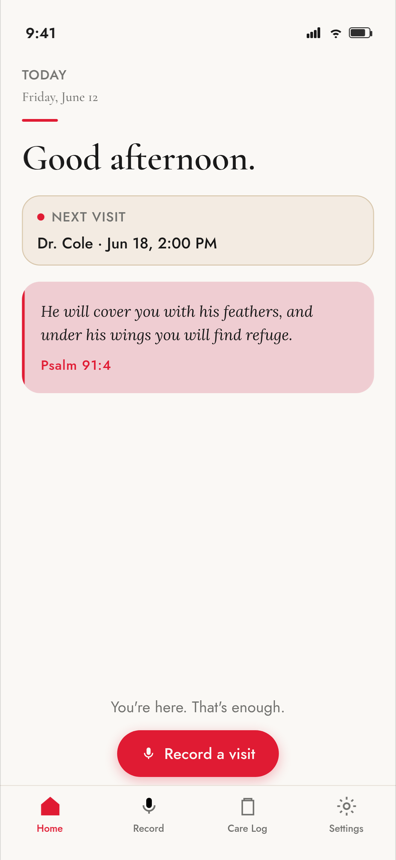
You’re here. That’s enough.
Record is the only thing you do. No typing tasks, no adding doctors, no writing down doses. The app does the writing.
Every doctor named, every medication change, every follow-up, every “watch for this” — pulled out of the conversation and put where the whole family can see it.



Get the app
Tap record at the doctor visit. When it ends, PresentCare has written the summary and filled in the doctors, the medication changes, the follow-ups and the to-dos. Nothing to type. Share it with your family. Built by a son who lost his mom, for every family carrying too much. Free to download.

Questions? hello@presentcare.app
How it works
You tap Record once. PresentCare writes all six of these itself — nothing to type, nothing to add by hand — whether you’re caring solo or sharing with your whole circle. Never clinical, never alarming.
A readable overview of everything discussed during the visit.
Every medication mentioned — new prescriptions, changes, and dosages.
All providers referenced, so referrals and names aren’t lost.
Appointments scheduled, labs ordered, and imaging to arrange.
Things to watch for, lifestyle changes, and next steps for you.
Warnings or red flags the doctor flagged — highlighted so nothing gets missed.
After every visit
To-dos and medications stay separate — so your circle knows what to do, and what the doctor said about each prescription. Both lists are filled in from the recording. You don’t add anything by hand.
To-dos
Circle members can claim tasks and mark them done.
Medications
This reflects what was discussed during the visit. Always confirm with your pharmacist or doctor before making any changes.
A living medication record — updated after every visit, visible to your whole circle.PresentCare helps you track what your doctor prescribed. Always consult your doctor or pharmacist before making any changes to medications.
“You’re here. That’s enough.”PresentCare is built for the moment after the visit — when details blur and the weight of remembering feels heavy.

Built with care
A small circle around the person you care for — a parent, spouse, sibling, friend, or yourself. Partners, grown children, trusted friends.
Recordings are handled with care. PresentCare is a memory tool for caregivers, not a medical record.
A persistent list for the whole circle — add, edit, mark stopped, or link from any visit summary.
Summaries may contain errors. They are not medical advice. Always follow your doctor’s instructions.
Questions caregivers ask
No. You tap Record at the start of the doctor visit and put the phone away. When the visit ends, PresentCare has written the plain-language summary and filled in the doctors, every medication change, the follow-ups and the to-dos. You can edit anything, but nothing has to be typed.
Keep one list the whole family can see, and update it the moment a doctor changes something. PresentCare keeps a living medication list for the circle — add a medication, edit a dose, or mark one stopped, and every visit summary links back to it, so nobody is working from a photo of an old pill bottle.
A current medication list, the questions you want answered, and a way to capture what the doctor says — the details blur on the drive home. PresentCare records the visit and turns it into a plain-language summary, so you can be present in the room instead of taking notes.
Send the summary, not a retelling. After a visit, PresentCare produces a summary you can share with your circle of care, so a sibling three states away reads the same thing you heard.
No. PresentCare is a memory tool for families, not a medical record and not medical advice. Summaries may contain errors, so always follow your doctor’s instructions.
The Caregiver Letter
From the Care Notes desk — for families carrying too much. Plain, warm, and never clinical, with the full issue as a PDF you can save for the hard week.